SCMC player guide · Winter season 2026
Omnarch Player Guide
Welcome to Omnarch. This guide covers everything that makes this server different: the economy, towns and war, companies and industry, the stock market, and the extras.
Commands are written like /company create <name>. Words in <angle brackets> are what you fill in, and words in [square brackets] are optional.
Numbers in this guide (prices, rates, times) are the launch values and may change as we balance the server.
1. Getting started
- Link your Discord. Use the Discord link command in game and follow the instructions.
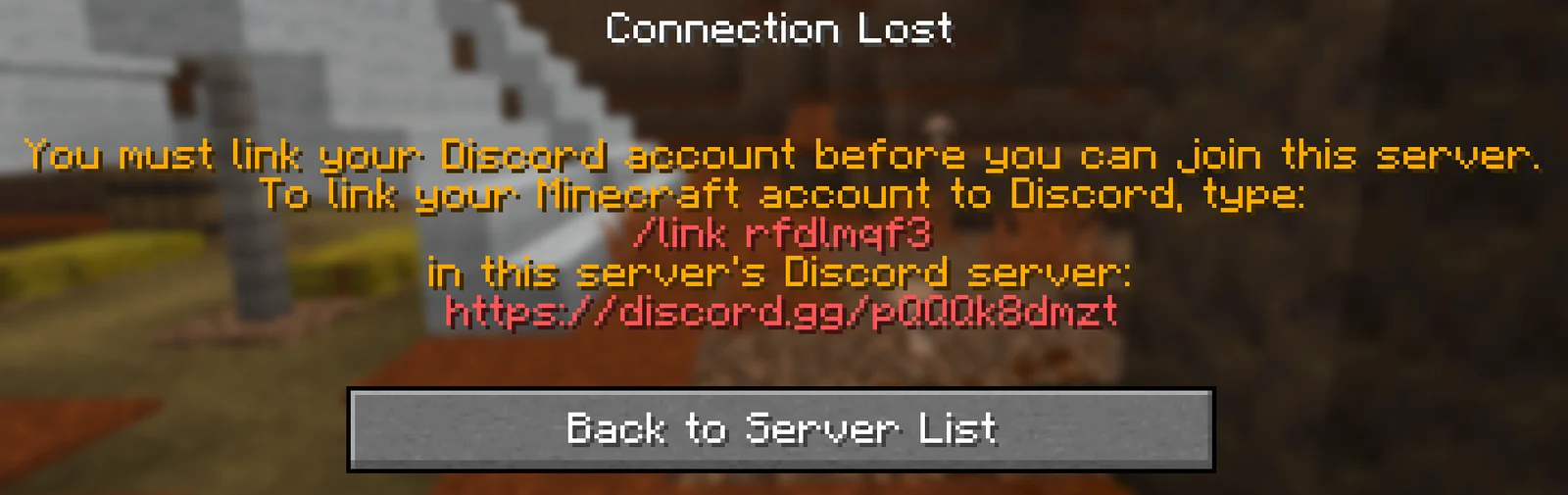
- Linking lets you log in to the website, trade stocks, see your company on the map, and negotiate treaties.
- The website is where the stock market, companies, treaties, the race leaderboard and the live map live.

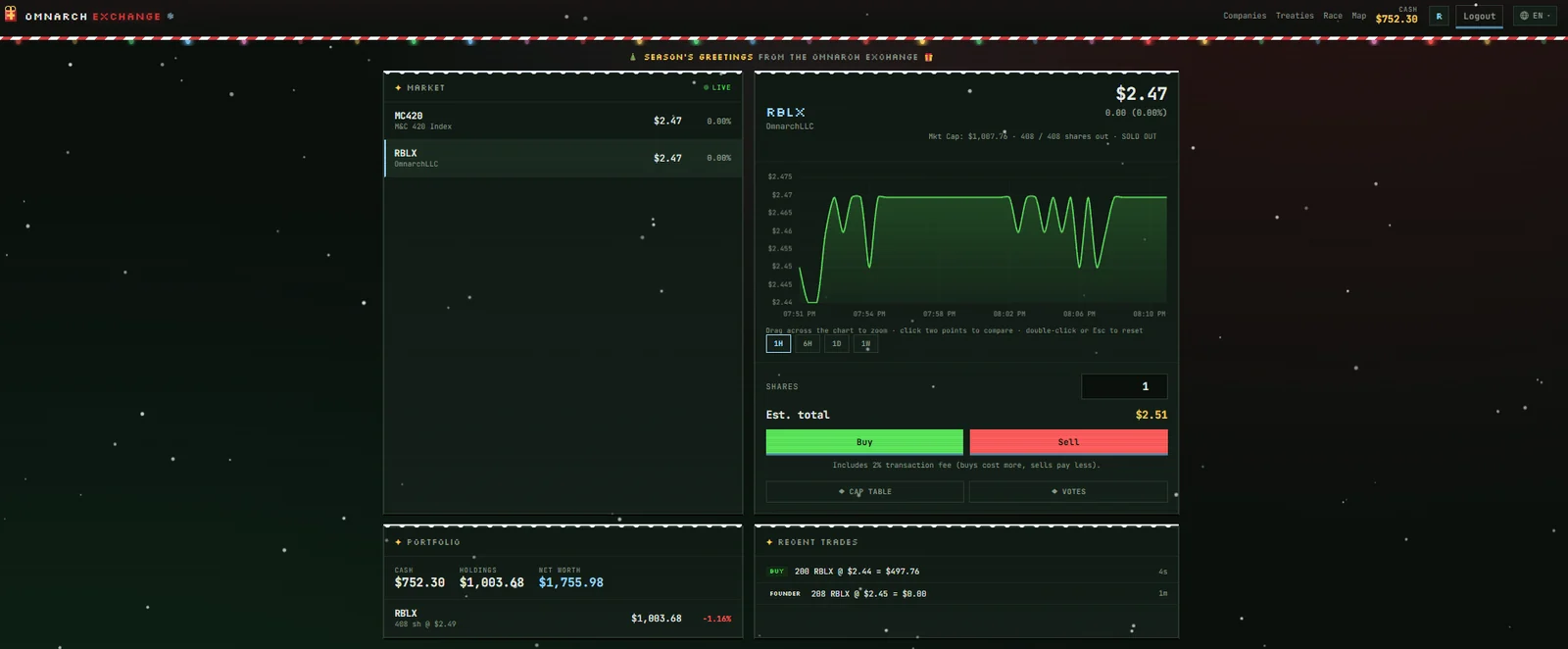
- Join or found a town. Almost everything in the update happens inside a town: companies, machines, the tech tree and wars.
2. Money and the shop
The shop
| Command | What it does |
|---|---|
/shop | Opens the server shop
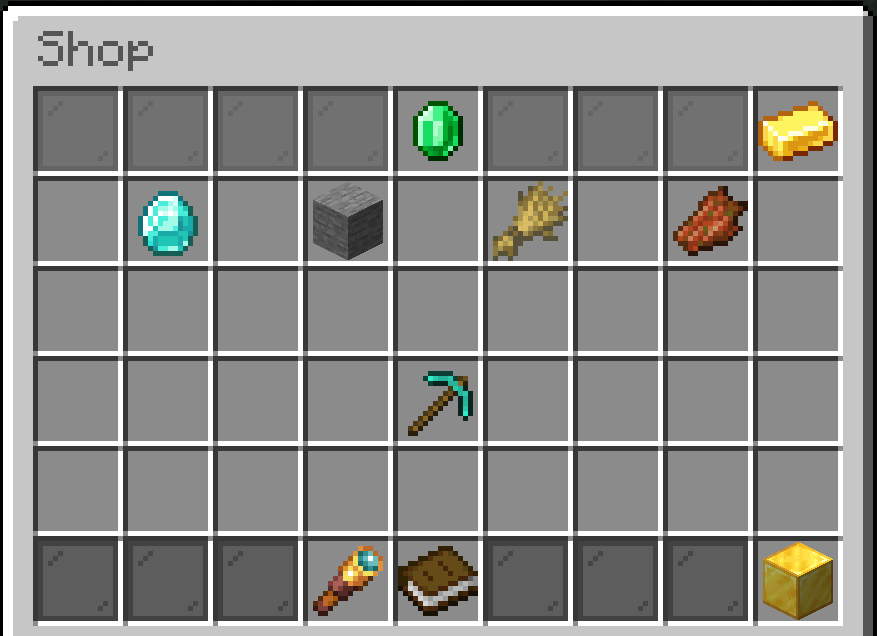 |
/shop search <text> | Finds an item |
/sell | Sells the stack in your hand at the market rate |
/sellall | Sells every one of the item you're holding |
Prices move with supply and demand. Items players sell become stock that other players buy first, and sales carry a small tax.
Auction house
| Command | What it does |
|---|---|
/ah | Opens the auction house
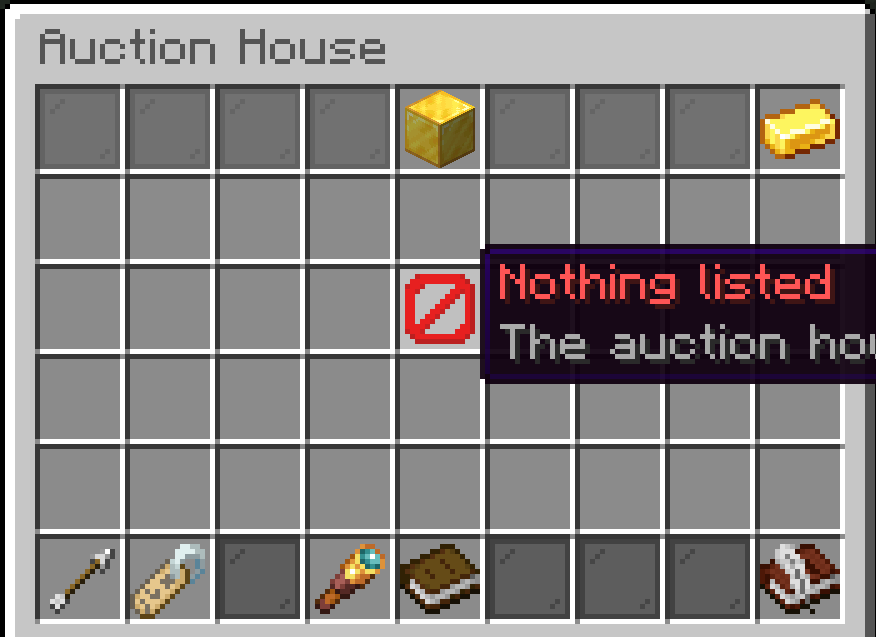 |
/ah sell <price> [amount] | Lists the item in your hand |
/ah listings | Shows your listings |
/ah collect | Collects money and items waiting for you |
Ways to earn money
- Daily login stipend: $500 a day just for logging in.
- Money Press: a block that makes $150 an hour while you're online. Craft it like this: Only a crafted press works; the same block obtained any other way does nothing.
- Selling to the shop, wages from a company, dividends from stocks, and Export Terminals (section 9).
The server limits how much new money it prints each day, so payouts can pause late in a busy day.
Teleporting
/tpa <player> and /tpahere <player> cost $100, charged when you send the request. There's no refund if it's denied.
3. Towns and nations
Omnarch uses Towny. Use /t and /n as normal. This update adds these town and nation commands:
| Command | Who | What it does |
|---|---|---|
/t set companytax <0–20> | mayor or assistant | Percent of revenue companies earn on your town's plots that goes to your town bank |
/n set companytax <0–10> | nation leader or assistant | An extra percent for the nation, on top of town tax |
/t substance ban <opium|alcohol|all|drug> <fine> | mayor or assistant | Fines anyone who uses that substance inside your town (section 15) |
/n substance ban … | nation leader or assistant | The same, across the whole nation |
/t substance unban <…> / list | Removes a ban / lists the bans | |
/t stock / /n stock | anyone in the town or nation | Shows shares your town or nation owns (for example from nationalizing a company) |
/t stock sell <TICKER> <shares> [confirm] | leaders | Sells those shares; the money goes to the bank |
/t stock votes / vote <id> for|against|abstain | leaders | Votes the town's shares in shareholder votes |
/t cameras … | leaders | Glock Safety cameras (section 13) |
4. War
Wars are between towns and happen in stages: a border siege, then possibly a capital siege. Wars can only be declared while the war window is open.
| Command | What it does |
|---|---|
/siege declare <town> | Declares war (mayors and kings; costs a fee) |
/siege ally <town> | Calls an allied town into your war |
/siege ally accept / deny | Answers a call to arms |
/siege status | Shows your war's stage, score and time left |
/siege list | Lists every active war |
/siege surrender | Offers surrender (the losing leader) |
/siege accept / deny | Answers a surrender offer |
/siege takeplot | Annexes a plot of the defeated town during the claim period |
/siege claim finish | Ends your annexing early |
How a stage works: the attacker plants a war banner in the defending town. A battle zone forms around it, and both sides score points by fighting inside it.

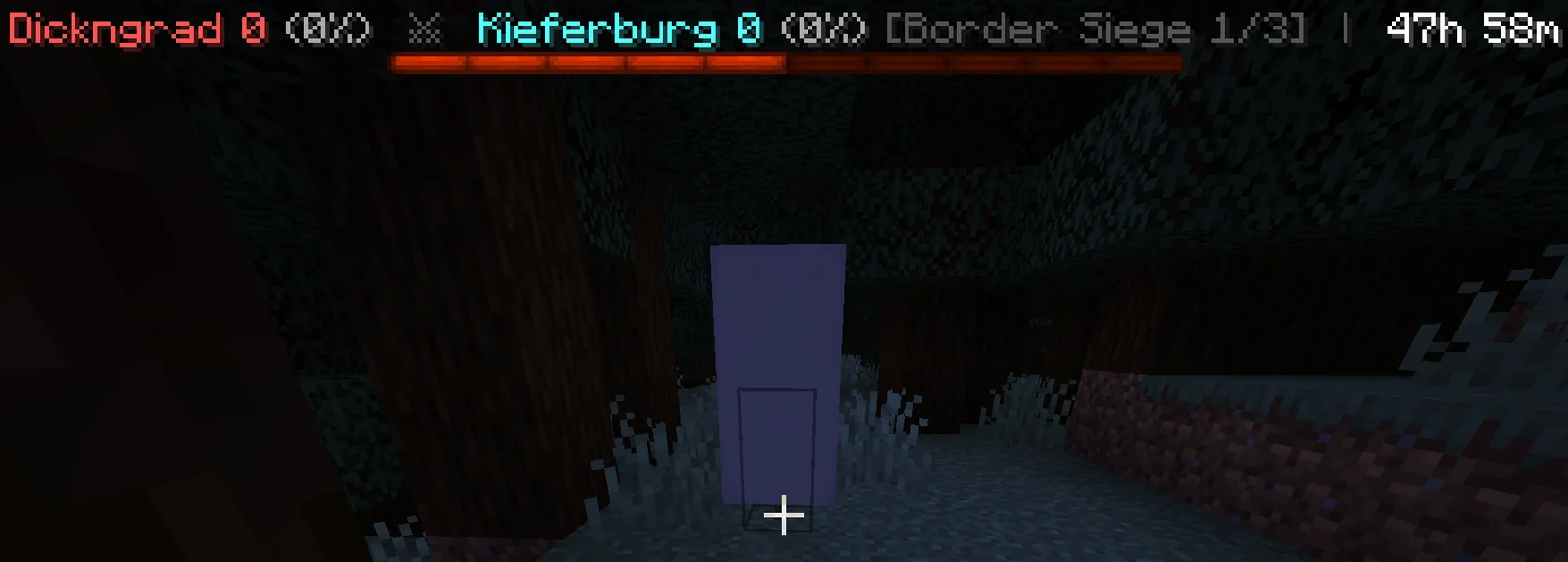
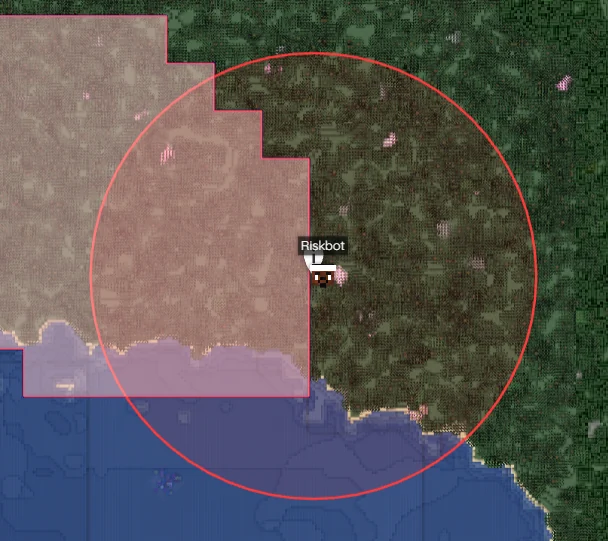
What war does to the economy:
- While a stage is running, the share price of every company with land in the defending town takes a hit.
- The winner can seize technology and nationalize companies in the peace treaty (section 5).
- Raiders inside the battle zone can break the defending town's security cameras.
After a loss: a town whose capital falls has its bank frozen and its spawn and teleports disabled for a while, and it may be occupied.
5. Treaties after a war
When a war is won, the towns negotiate the peace on the website's Treaties page, taking turns.
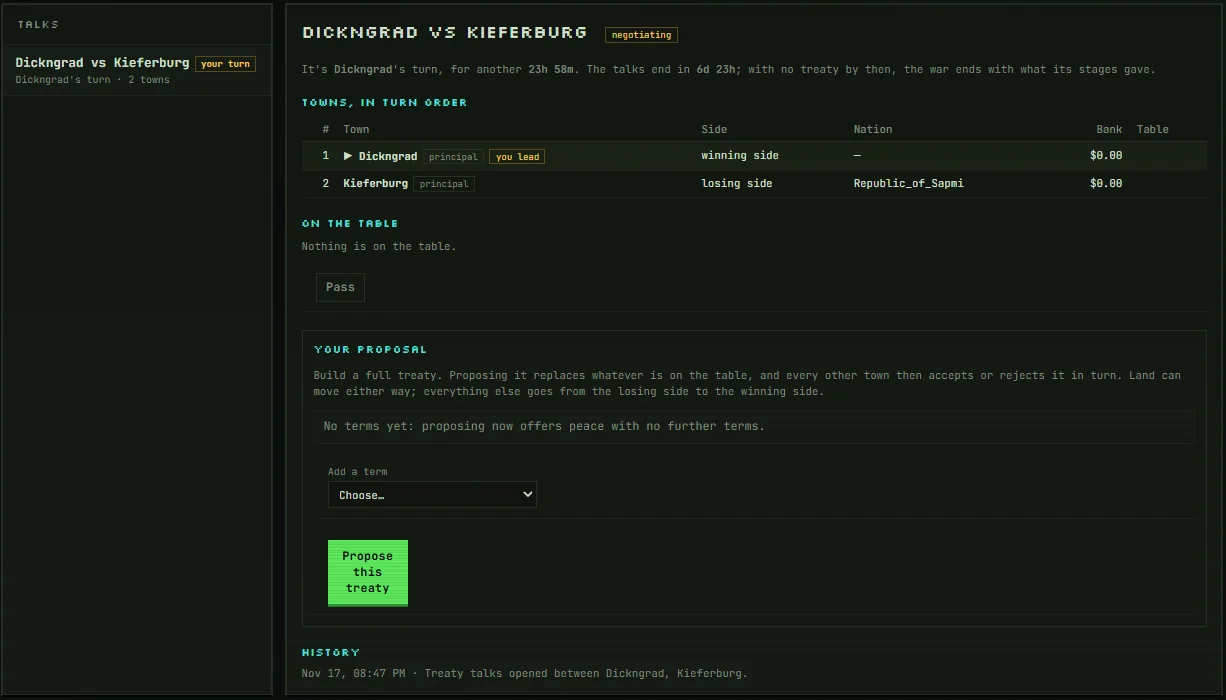
How the talks work:
- The towns take turns in a fixed order: the attacker, its allies, then the defender and its allies.
- On your turn, your mayor (or your nation's leader) can propose a full treaty, or accept, reject or pass on the one on the table. Each of these ends your turn.
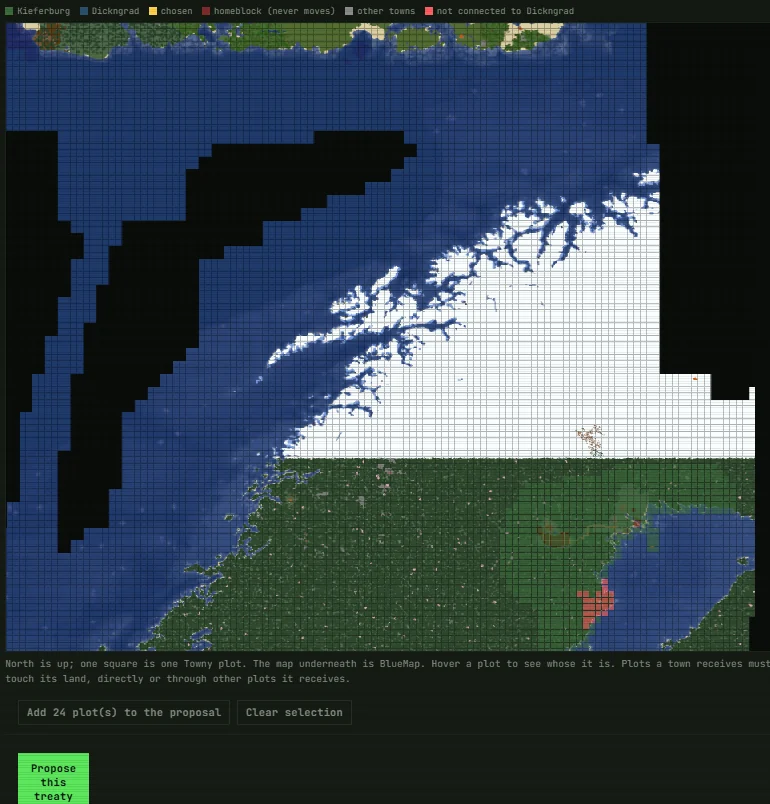
- To propose, paint the land you want on the map (enemy land is red, your side is lime green; brushes from 1×1 to 5×5 plots, scroll to zoom), add any other demands in the side panel, then press Submit demands & end turn.
- A treaty passes only when every town has accepted it.
- Each turn lasts 24 hours; if you run out of time, you pass.
- If nobody agrees within 7 days, the war ends with only what the battles already gave.
Terms you can put in a treaty:
| Term | What it does |
|---|---|
| Payment | A town pays a percent of its bank |
| Land | Plots change hands. You paint them on the claims map; claimed plots get a white outline.
 |
| Seize technology | The winner copies a tech-tree node from the loser. The loser keeps it. |
| Nationalize a company | The winner's nation buys out a company with land in the losing town. The cost is shown before you add it. |
| Demilitarize | The loser can't declare war for a while |
| Bar calling an ally | The loser can't call a named town as an ally for a while |
| Occupy a capital | The winner occupies the loser's capital |
| Trade rights | A trade agreement |
In game, /siege treaty shows the talks, and /siege treaty accept, reject or pass acts on your turn. Proposing a treaty happens on the website.
6. Companies
You need a company to own machines, casinos and stocks.
Founding and running one
| Command | Who | What it does |
|---|---|---|
/company create <name> | anyone | Founds a company for $250. You become its CEO. |
/company list | anyone | Lists every company, with ticker and value if public |
/company <name> info | anyone | Treasury, income, machines, contracts, share price |
/company <name> ledger [page] | anyone | The company's public money record |
/company <name> deposit <amount> | members | Puts your money into the company |
/company <name> withdraw <amount> | CEO, private companies only | Takes money out |
/company <name> member add|remove <player> | CEO | Hires or removes a member |
/company <name> members | members | Lists members |
/company <name> leave | members | Leaves the company |
/company <name> disband confirm | CEO, private companies only | Closes the company. Machines drop as items, and the treasury goes to the CEO. |
Company land
Machines can only go on company plots. Stand in a Towny plot you own (or as mayor or assistant) and run:
| Command | What it does |
|---|---|
/company <name> plot claim | Claims the plot you're standing in for the company |
/company <name> plot unclaim | Gives it back |
/company <name> plot list | Lists the company's plots |

Wages
| Command | What it does |
|---|---|
/company <name> wage <player> <amount per hour> | CEO sets a member's hourly pay |
/company <name> wages | Shows the pay set aside for you |
Wages build up for every hour you're online. To collect them, walk onto your company's land. Pay older than 3 days goes back to the company.
Running costs and tax
- Every running machine costs upkeep each hour: $5 for tier 1, $15 for tier 2, $40 for tier 3.
- The town (and nation) where a machine stands takes tax from the revenue it earns.
If a company can't pay
- Distressed: its machines stop, and its share price drops 30%. Anyone can rescue it with
/company <name> deposit. Another company can buy it outright with/company <buyer> acquire <target> [confirm]. - Liquidated after 48 hours: its machines are sold on the auction house, and the money pays its debts, then its shareholders.
7. The tech tree
/techtree opens your town's tech tree.
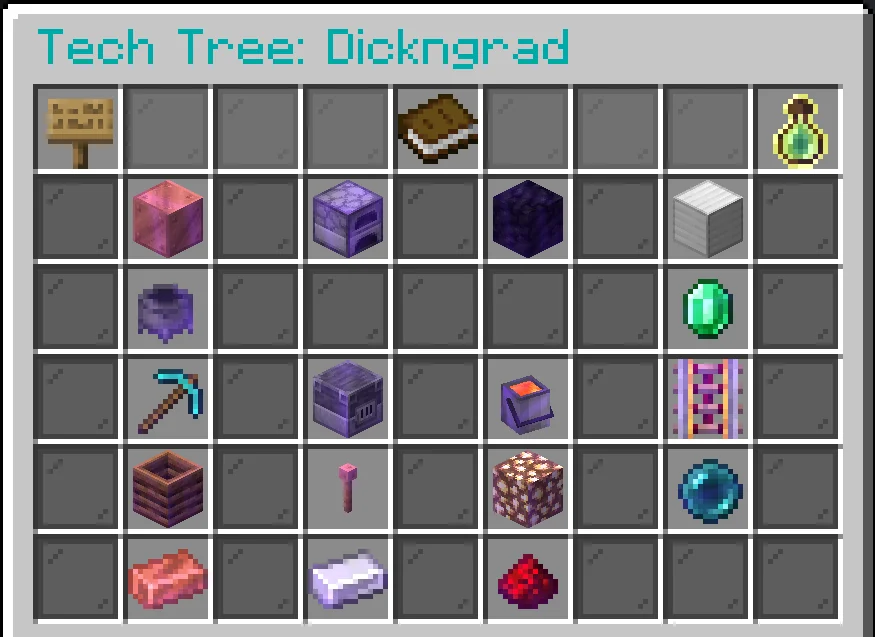
- Any town member can put experience points into a node. When it's fully funded, the whole town unlocks it.
- Left-click a node to give 100 points, shift-click to fund the rest of it, and right-click to see its details and top funders.
- A machine only works if the town it stands in has unlocked its tier. You also can't craft a machine your town hasn't unlocked.
- If your town disbands, everyone gets back exactly what they put in. Leaving a town refunds nothing.
| Node | Needs | XP points |
|---|---|---|
| Powerlines & Batteries | — | free |
| Copper Pumpjack / Bloomery / Coal Generator | — | 250 each |
| Export Terminal | any tier 1 | 500 |
| Refinery | Pumpjack | 1,000 |
| Rail Depot | any tier 1 | 1,000 |
| Steel Drill Rig | Pumpjack + Bloomery | 2,000 |
| Gas Burner | Bloomery + Refinery | 2,000 |
| Oil Generator | Coal Generator + Refinery | 2,000 |
| Material Teleporter | Export Terminal + Oil Generator | 2,500 |
| Biofuel Plant | Drill Rig + Oil Generator | 4,000 |
| Electric Arc Furnace | Gas Burner + Oil Generator | 6,500 |
| Nuclear Reactor | Arc Furnace + Oil Generator | 15,000 |
| Efficiency I / II / III (each industry) | that industry's tier 1 / 2 / 3 | 1,000 / 2,500 / 5,000 (+10% output each) |
/techtree list lists everything your town has.
8. Industry: power, pipes and machines
All industry blocks must be in a town, on your company's land. Most actions use shift + right-click with an empty hand.
Machines
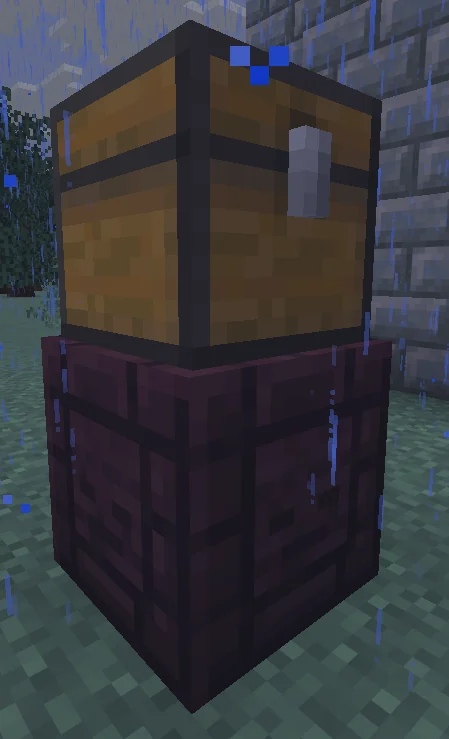
Right-click a machine to open its menu. It shows inputs, output, power, status and running costs. Click items in your own inventory to load them, and click the output to take it. A chest touching a machine also feeds it and collects its output.
| Industry | Tier | Machine | What it does | Power |
|---|---|---|---|---|
| Oil | 1 | Copper Pumpjack | 8 crude oil/hr | 5 kW |
| Oil | — | Refinery | 2 crude → 1 refined, up to 12/hr | 10 kW |
| Oil | 2 | Steel Drill Rig | 30 crude/hr | 25 kW |
| Oil | 3 | Biofuel Plant | 8 crops → 1 biofuel, up to 16/hr | 40 kW |
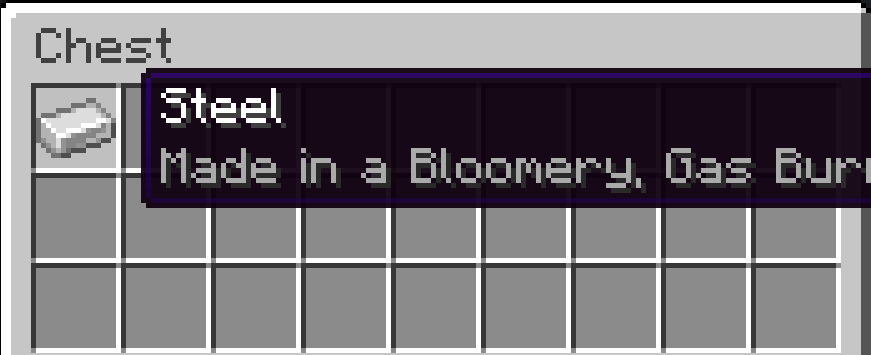
| Steel | 1 | Bloomery | iron ingot + coal → steel, 12/hr | — |
| Steel | 2 | Gas Burner | iron ingot + ¼ refined → steel, 40/hr | 5 kW |
| Steel | 3 | Electric Arc Furnace | iron ingot or scrap iron → steel, 120/hr | 400 kW |
| Power | 1 | Coal Generator | burns 20 coal/hr → 40 kW | — |
| Power | 2 | Oil Generator | burns 6 refined/hr → 150 kW | — |
| Power | 3 | Nuclear Reactor | 1 fuel rod per 2 hr → 1,000 kW | needs cooling water |
- Pumps share a chunk badly: each extra pump in the same chunk gives 25% less, so spread them out.
- Steel is an iron ingot named "Steel". You need it to build the higher-tier machines.
Powerlines
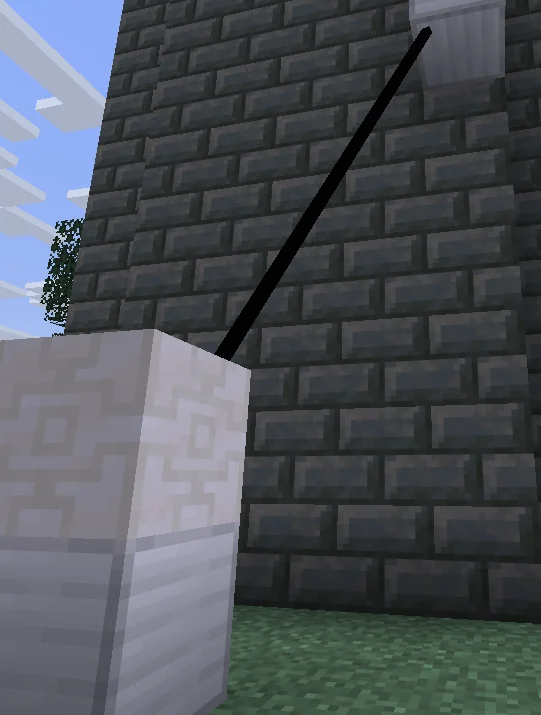
- Place two iron blocks.
- Shift-right-click the first one, then the second one, with an empty hand.
- A cable appears between them. It costs $1 per block of length.
Power enters a machine or battery only through an iron block touching it. Iron blocks touching each other also connect. Doing the same two clicks again removes the line, with no refund.
Batteries
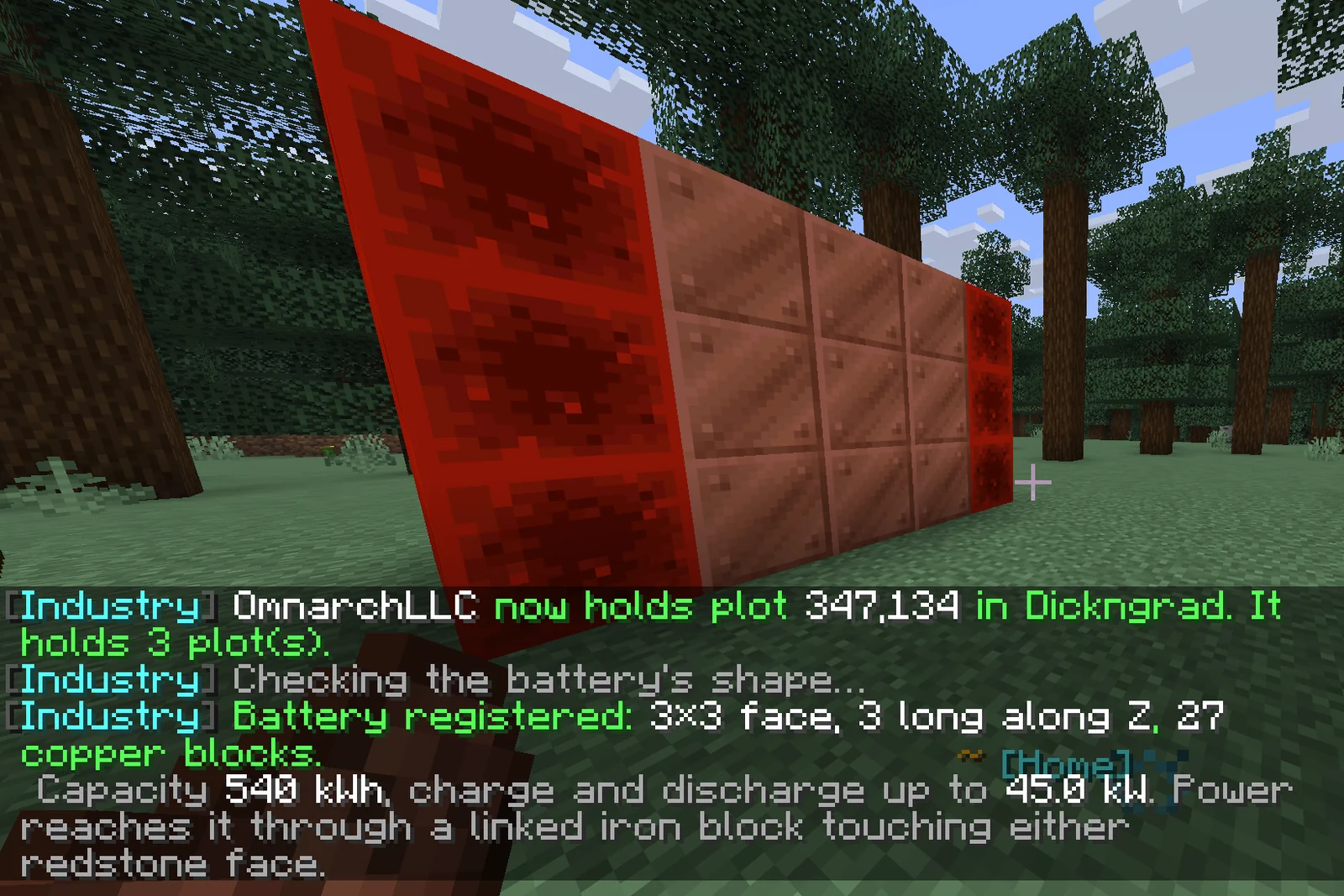
- Shape: a solid box of copper blocks, with two opposite faces completely covered by redstone blocks: redstone | copper … copper | redstone.
- Registering: shift-right-click a redstone face with an empty hand. Right-click any block of it to see its charge.
- Capacity per copper block: 20 kWh (fresh), 15 (exposed), 10 (weathered), 5 (oxidized). Wax your copper to stop it losing capacity.
- Charge speed: 5 kW per redstone block on one face.
- Warning: breaking any block of a battery destroys it and its stored charge.
Brownouts
If a network needs more power than it has, every machine on it slows down by the same amount. Companies sharing a network each use their own power first, then power they buy under a contract.
Pipes
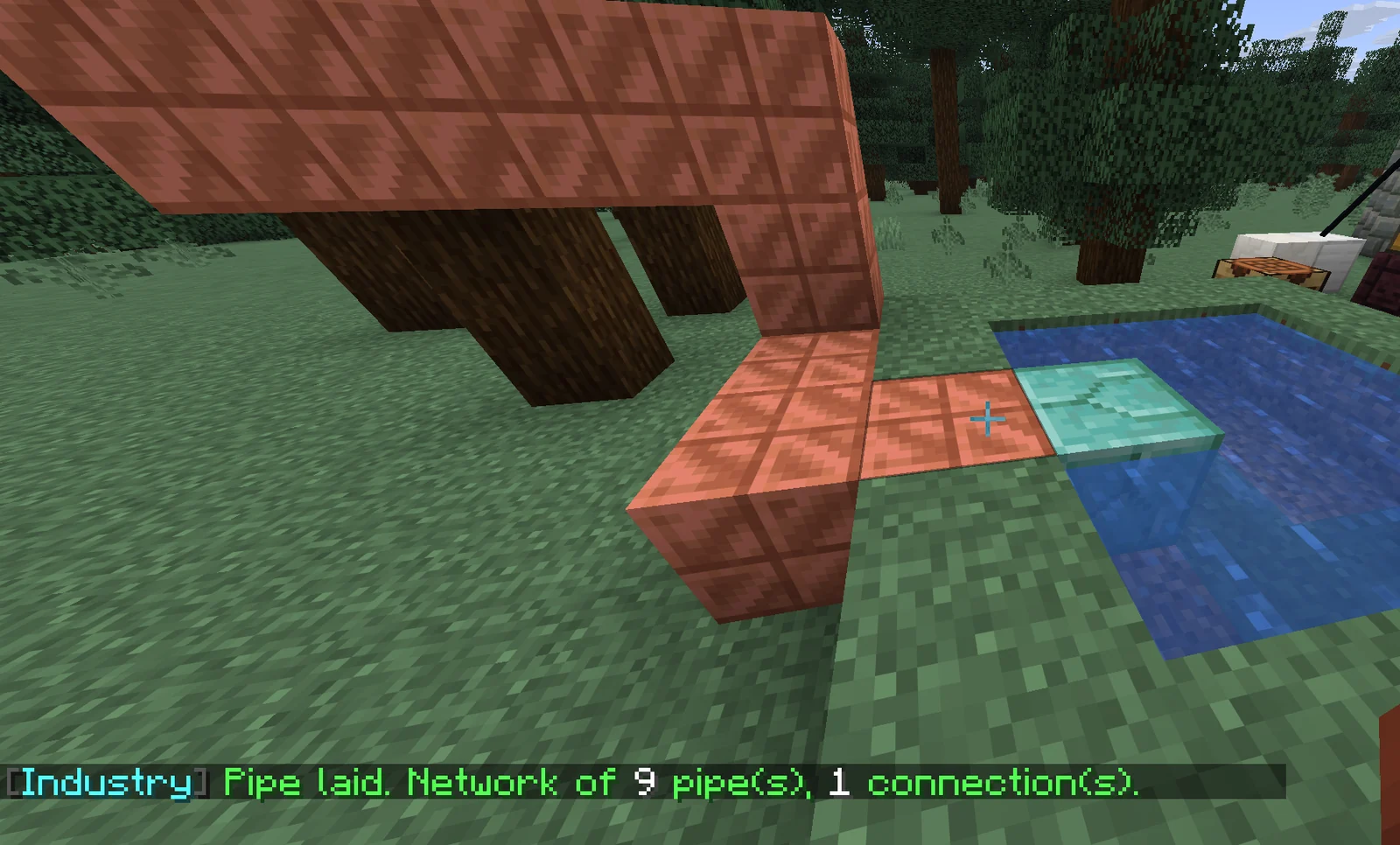
Shift-right-click any cut copper block (any oxidation, waxed or not) with an empty hand to turn it into a pipe. Touching pipes form one network, which moves crude oil, refined oil, biofuel and water instantly, up to 64 barrels a second. A pipe connects to a machine it touches.
Rail cargo
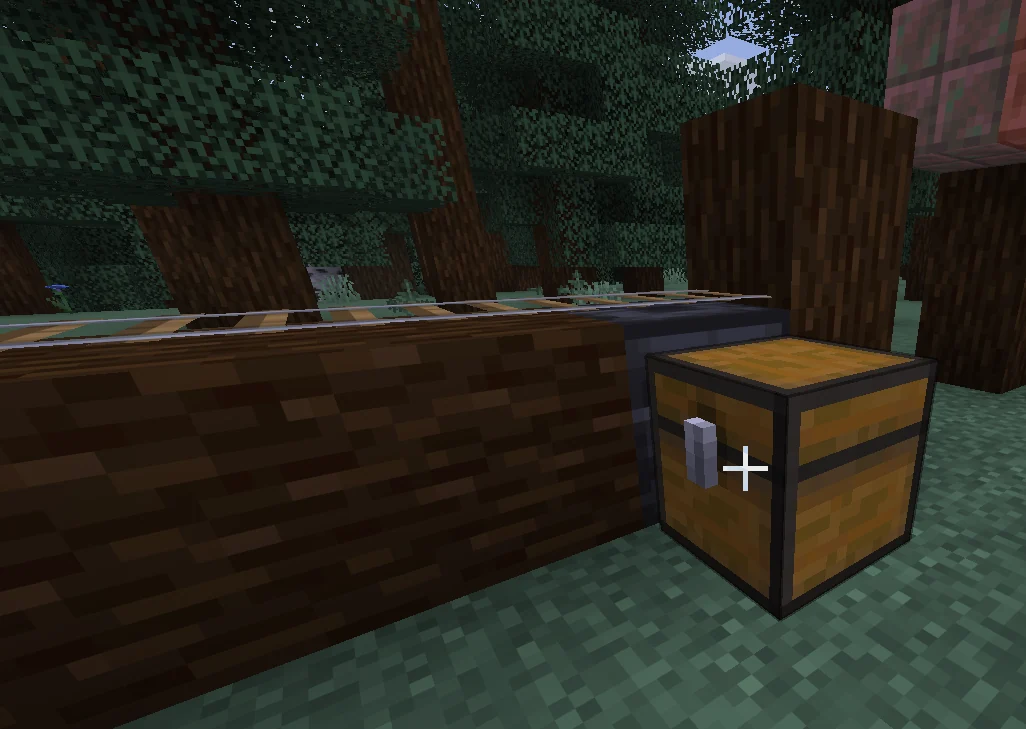
- Craft a Rail Depot, put a rail on top of it, and put a chest (or a machine) next to it.
- Chest minecarts passing over it stop and get unloaded into the chest, or loaded from it. Shift-right-click the depot to switch between the two.
- Moving cargo carts keep their chunks loaded, so long routes work while you're away.
Nuclear Reactor safety
- A reactor needs 20 water/min while running. It gets water from source blocks touching it (4/min each) or from a Water Pump piped in.
- Without enough water it heats up. You're warned at 50% and 80%. Switch it off in its menu to cool it down.
- At 100% it melts down: an explosion, a 16-block poisoned zone for 24 hours where machines stop, and your company's share price drops 25%.
9. Selling, contracts and the teleporter
Export Terminal
Sells your goods to the server. Feed it by pipe, chest, depot or powerline; it sells every 5 minutes into your company treasury.
| Good | Server pays |
|---|---|
| Crude oil | $1.50 / barrel |
| Refined oil / biofuel | $5 / barrel |
| Steel | $9 / ingot |
| Electricity | $0.04 / kWh |
These prices are low on purpose: the real money is in selling to other companies.
Contracts
Goods only flow between two different companies' machines under a contract.
| Command | What it does |
|---|---|
/company <seller> contract offer <buyer> <resource> <price per unit> [max per hour] | Seller's CEO offers a contract |
/company <buyer> contract accept <id> | Buyer's CEO accepts it |
/company <name> contract cancel <id> | Either CEO cancels it |
/company <name> contract list | Lists your contracts |
Resources include power (priced per kWh), crude, refined, biofuel, steel, iron, coal and more. The buyer pays as goods arrive, and the seller's town and nation tax the sale.
Material Teleporter
Two modes, switched in its menu:
- Sending: delivers goods to another company's teleporter under a contract. 10% of the sale's value is taken as a fee.
- Receiving: takes deliveries in. Its CEO can also buy crude, refined, biofuel and steel straight from the server at 3× the Export price.
Power can't be teleported; it always needs a line.
10. The stock market
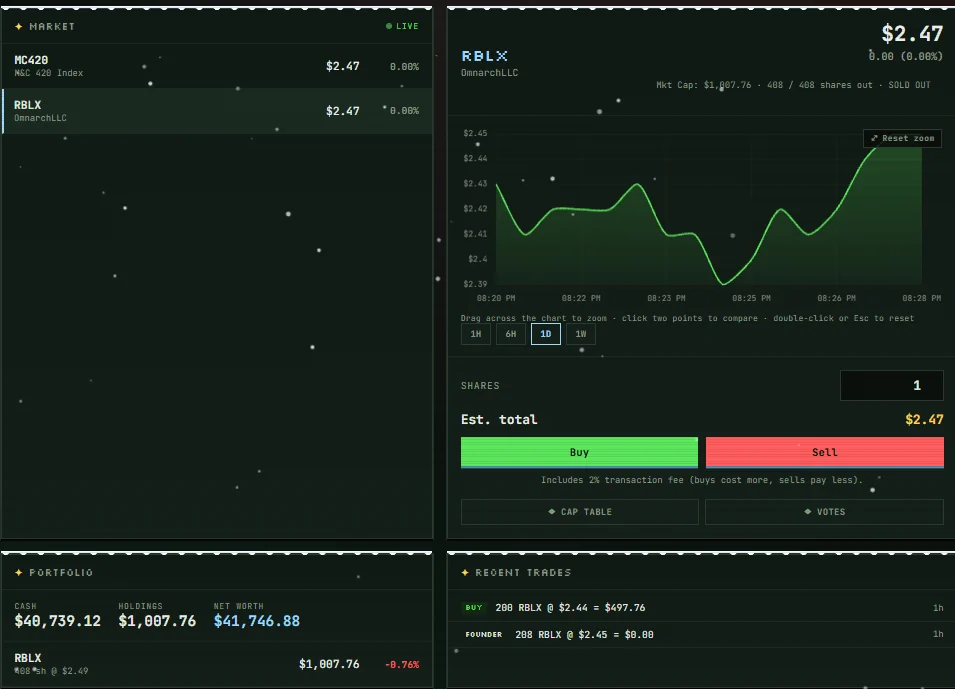
Trade on the website's market page.
Taking your company public (IPO)
/company <name> ipo <TICKER> <percent> <shares> previews the offer. Add confirm to list it.
| Rule | Value |
|---|---|
| Percent sold | 10% to 49% (you keep control) |
| Shares offered | at least 100 |
| Company age | at least 3 days |
| Machine time | at least one machine has run for 24 hours |
| Book value | at least $2,500 |
IPO money goes into the company treasury. /company <name> ipo cancel confirm closes the offering early.
What moves the price
The price follows the company's real value: its treasury, machines, stock and profits. On top of that:
| Event | Effect on price |
|---|---|
| Each active siege stage on the company's land | −10% |
| CEO impaired (section 15) | −5% to −20% |
| Distressed | −30% |
| Reactor meltdown | −25% |
Company stock commands (CEO)
| Command | What it does |
|---|---|
/company <name> stock | Shows holdings, parent and subsidiaries, and dividends |
/company <name> stock buy <TICKER> <shares> [confirm] | Buys your own shares (a buyback) or another company's (an investment). Owning over 50% of a company makes it your subsidiary. |
/company <name> stock sell <TICKER> <shares> [confirm] | Sells shares the company holds in another company |
/company <name> stock split <n> / consolidate <n> | Opens a shareholder vote to split or merge shares |
Dividends and votes
| Command | Who | What it does |
|---|---|---|
/company <name> dividend propose <$ per share> <interval> | any shareholder | Proposes a dividend, e.g. 0.50 24h |
/company <name> votes | anyone | Lists open votes |
/company <name> vote <id> for|against|abstain | shareholders | Votes your shares |
Votes pass by a majority of shares. Dividends are paid from the company treasury.
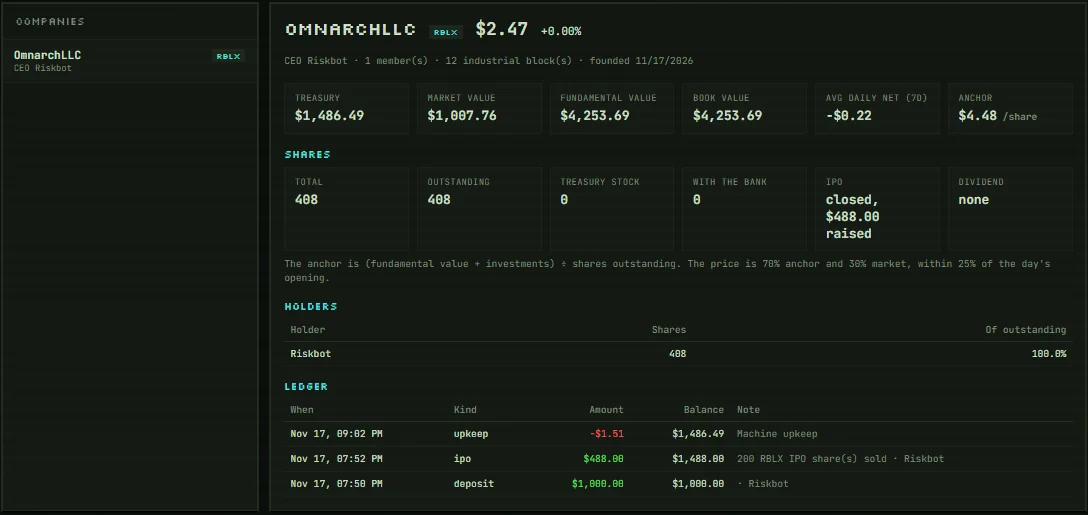
The Companies page on the website shows every company's holders, contracts, dividends, price effects and ledger.
11. The live map
Open Map on the website.
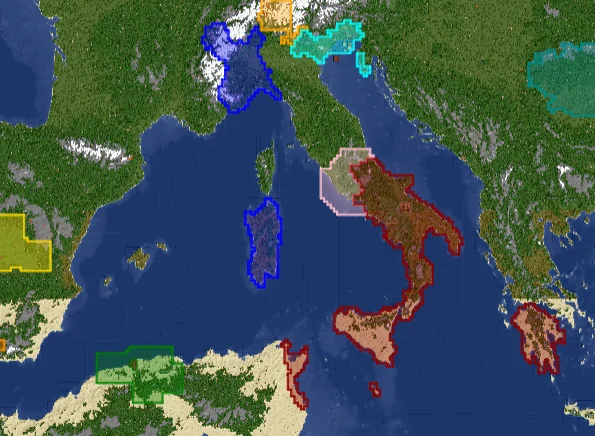
- Everyone sees the world and the Wars layer:
- land under siege in red
- attackers in blue
- a loser's land that can be annexed in amber
- towns in treaty talks in grey
- war banners and battle zones
- Log in to see your company layer: your plots, machines with their status, batteries and powerlines.
- You only ever see your own player marker, not other players'.
12. The electricity race and the Omnarch Datacenter
The race: from December 19 to December 25 (US Eastern time), towns compete to generate the most electricity. Every kWh made by generators on a town's plots counts. Batteries discharging don't.
| Command | What it does |
|---|---|
/industry race | The leaderboard (also on the website's Race page) |
The prize: the winning town's mayor is offered the Omnarch Datacenter (ticker ODC), a public company the server owns. The mayor has 72 hours to accept; if they don't, the offer passes to the runner-up.
| Command | What it does |
|---|---|
/industry datacenter | Shows the datacenter's status |
/industry datacenter accept / decline | The mayor answers the offer |
/industry datacenter item | Leaders get a replacement Datacenter block |
The host's mayor places the Datacenter block in town and powers it with a powerline. It needs 500 kW. Companies with land in the host town that feed it are paid by the server at $0.10/kWh. If it loses power, every camera on the server goes dark.
13. Glock Safety cameras and the Breach
Cameras only exist once a town hosts the datacenter.
Building a camera
- Place an observer facing outward, with a daylight sensor on top.
- As mayor or assistant, shift-right-click the observer with an empty hand.
- Registration costs your town bank $500, plus $25 a week per camera.
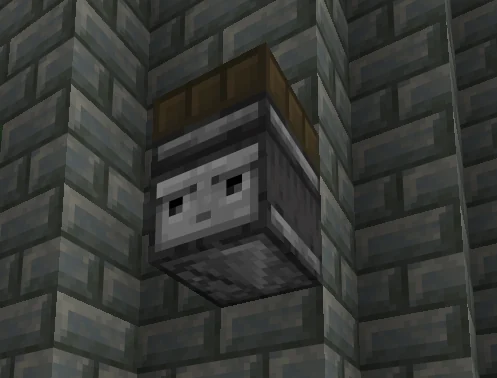
- A camera sees players in front of it within 32 blocks, if nothing blocks the view. The sensor must have open sky above it.
- Sneaking halves its range, and invisibility hides you completely.
- If your town can't pay the weekly fee, its cameras go offline until it does.
| Command | Who | What it does |
|---|---|---|
/t cameras / /t cameras list | leaders | Lists your town's cameras |
/t cameras sightings [hours] | leaders | Shows who your cameras have seen |
/t cameras share <town> / unshare <town> | leaders | Lets another town's leaders see your cameras, or stops it |
/t cameras shares | leaders | Lists who you share with |
Towns in the same nation share automatically, and the nation leader sees all of them. Logged-in leaders also see their cameras on the website map.
The Breach
If the datacenter's host loses a battle, the camera network can leak:
- Minor Breach: a 50% chance when the host loses a siege stage. Every town's camera sightings from the last day go public on the map for 1 hour.
- Major Breach: happens if the host loses the war or its capital. Live camera tracking goes public for 3 hours, the datacenter goes offline for a day, and the war's winner is offered hosting.
A 10-minute countdown is announced before either one.
14. Casinos
Casino machines are built from blocks and owned by companies.
- Build the structure for the game you want around a jukebox. There are four: Slot Machine, Roulette Table, Blackjack Table (single) and Blackjack Table (multi).
- The structure must stand on your company's land, and you must be a member.
- Right-click the jukebox to register it. The registration fee comes from the company treasury.
Players bet by right-clicking the machine. Losses go to the company, and wins are paid from its treasury, so keep it stocked. A small fee on winnings goes to the server. Practice games are free.
15. Drinks, drugs and town bans
- Laudanum: a new BreweryX drink. Brew it in a cauldron (16 poppies + 1 sugar, 6 minutes), distill it once, and age it 1 year in an oak barrel.
- It gives Regeneration and Resistance, then Slowness and Nausea, then Hunger.
- 3 doses in 2 hours cause withdrawal (Weakness and Mining Fatigue).
- 3 doses in 10 minutes cause an overdose (Wither).
- Town and nation bans: using a banned substance inside a town or nation that bans it fines you, and the fine goes to its bank. If you can't pay, it becomes debt (section 16).
- CEOs, beware: a CEO who's drunk or high 3 or more times in a day makes their company's share price fall. Investors see "CEO impaired" on the stock page.
16. Debt
/debt shows what you owe. Unpaid fines become debt.
While you're in debt:
- Half of everything you earn goes to paying it off: wages, shop sales, payouts, dividends and stock sales.
- You can't buy from the shop, the auction house or the stock market.
- You can't found or IPO a company, bet at a casino, or fund the tech tree.
Debt never expires.
17. Marriage and inheritance
| Command | What it does |
|---|---|
/marry <player> | Proposes |
/marry accept / deny | Answers a proposal |
/marry status | Shows your marriage |
/divorce | Ends it |
/inheritance [player] | Opens your late partner's inheritance vault |
Death carries a tax, and married partners inherit.
18. Other things worth knowing
- Trees: when you chop a natural tree's trunk, its leaves fall on their own. Leaves you placed yourself are left alone.
- Armor smelting: iron and gold armor and tools can be smelted back into ingots.
- Clean chat: some words are filtered from chat, and from company names and tickers.
- Ground items are cleared regularly to keep the server fast. You'll see a warning first.
- Playtime: your playtime is tracked and shown on the website.
19. Command quick reference
| Area | Commands |
|---|---|
| Shop | /shop, /sell, /sellall, /ah |
| Companies | /company create|list, /company <name> info|ledger|deposit|withdraw|member|members|leave|plot|wage|wages|contract|ipo|stock|dividend|votes|vote|acquire|adopt-casino|disband |
| Tech | /techtree, /techtree list |
| Town and nation | /t set companytax, /n set companytax, /t substance, /n substance, /t stock, /n stock, /t cameras |
| War | /siege declare|ally|status|list|surrender|accept|deny|takeplot|treaty |
| Race and datacenter | /industry race, /industry datacenter |
| Personal | /debt, /marry, /divorce, /inheritance, /tpa, /tpahere |
Build guides
Every machine recipe and casino layout has its own panel. Pick one to open it.